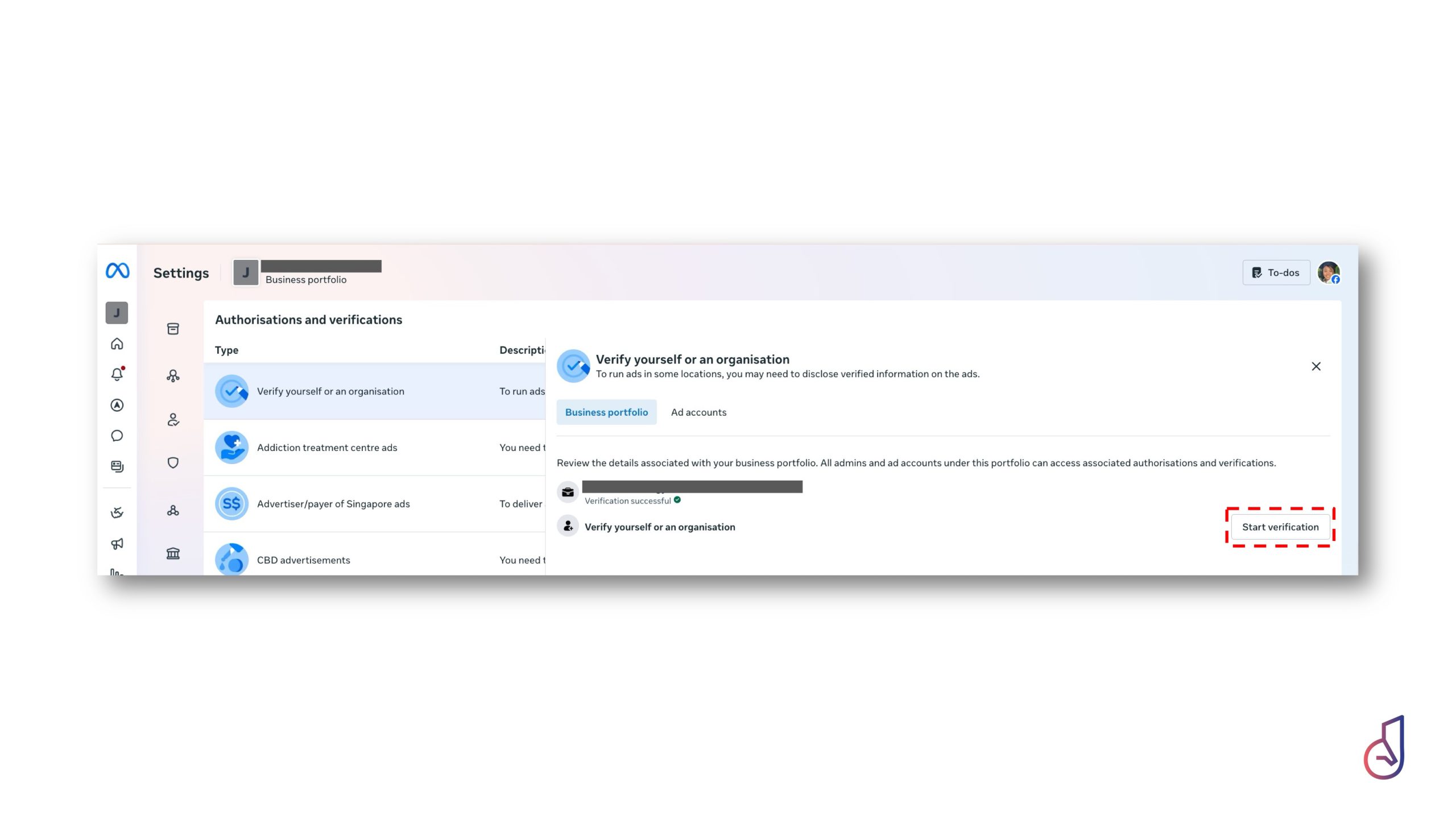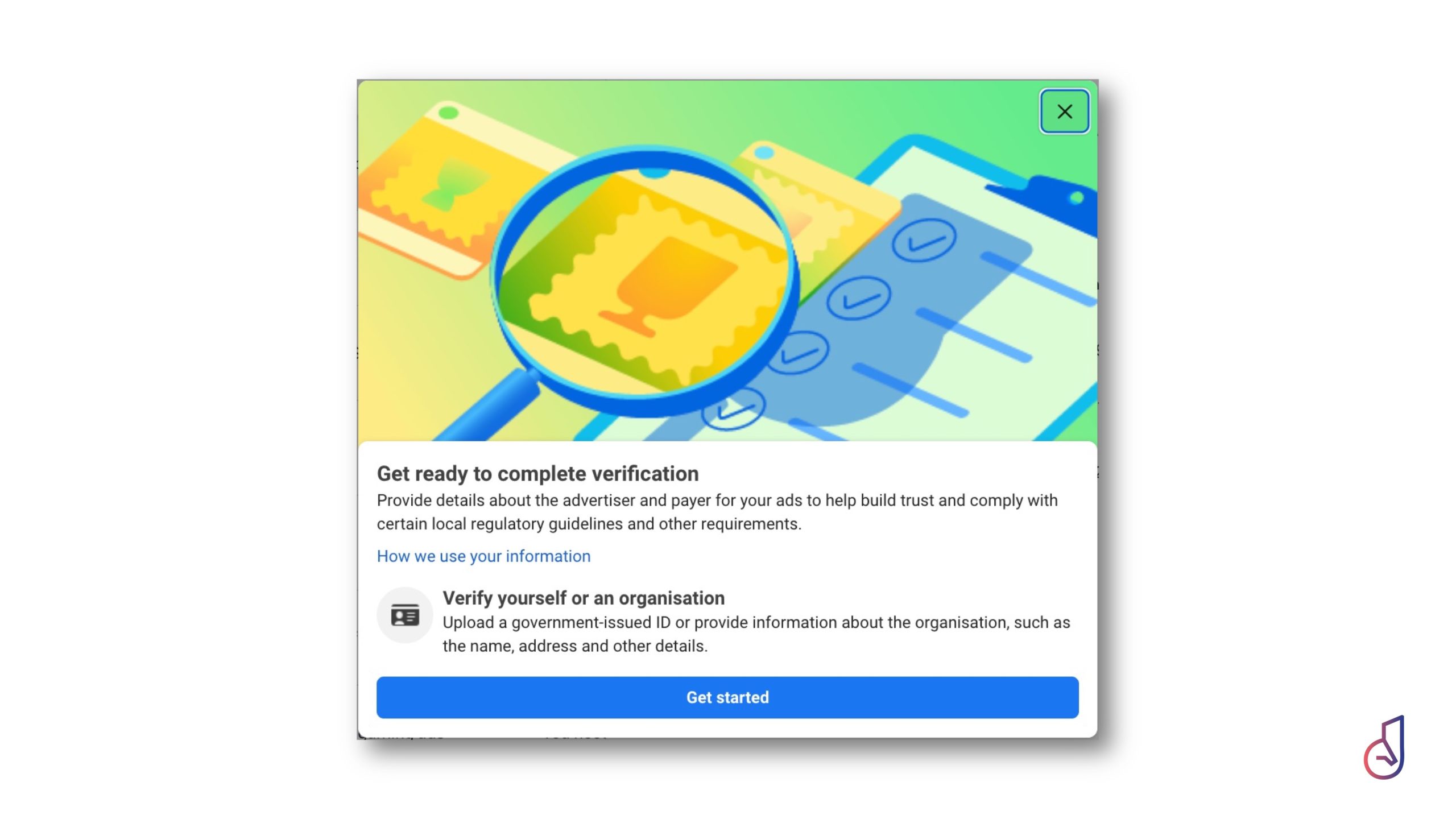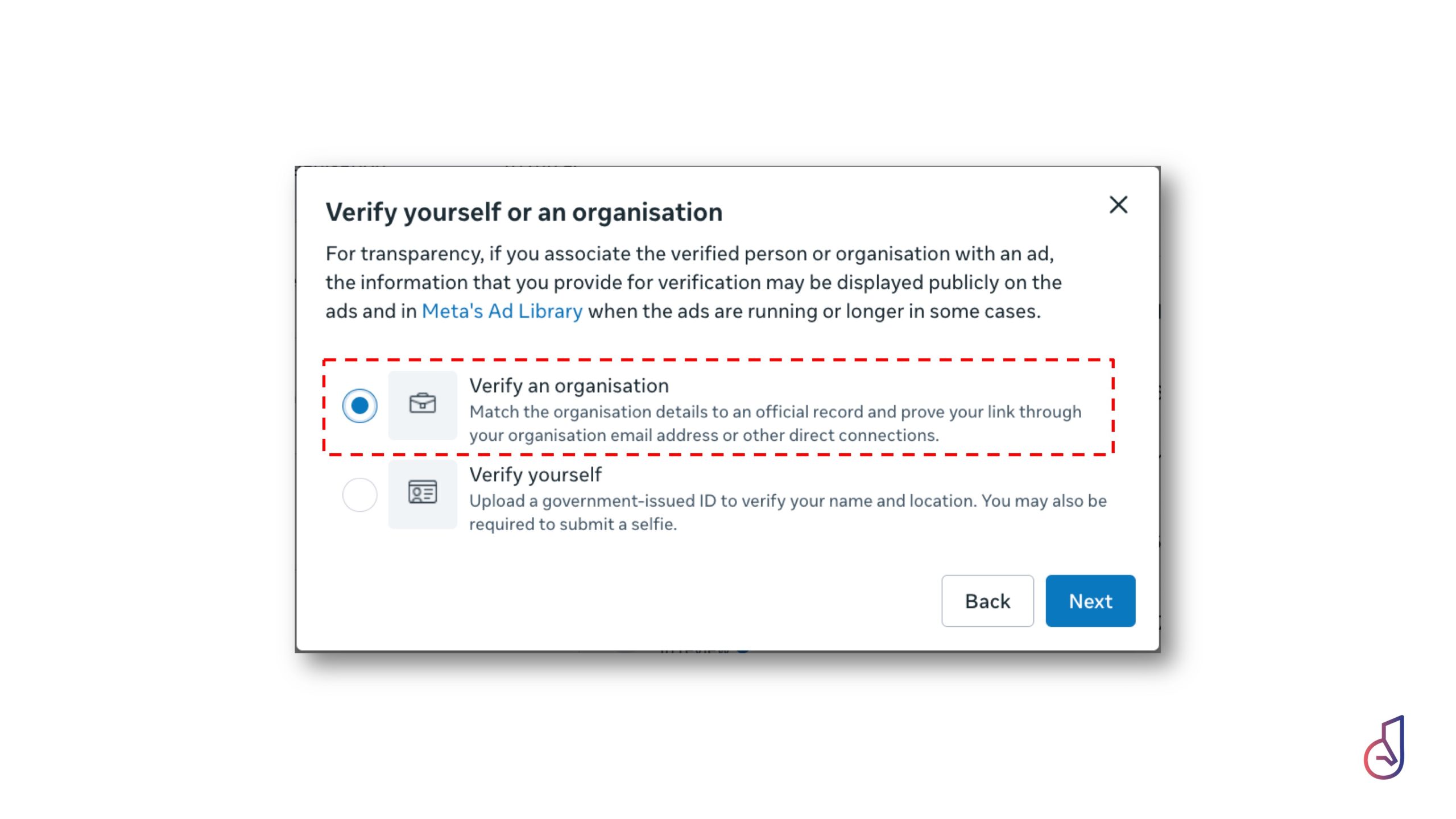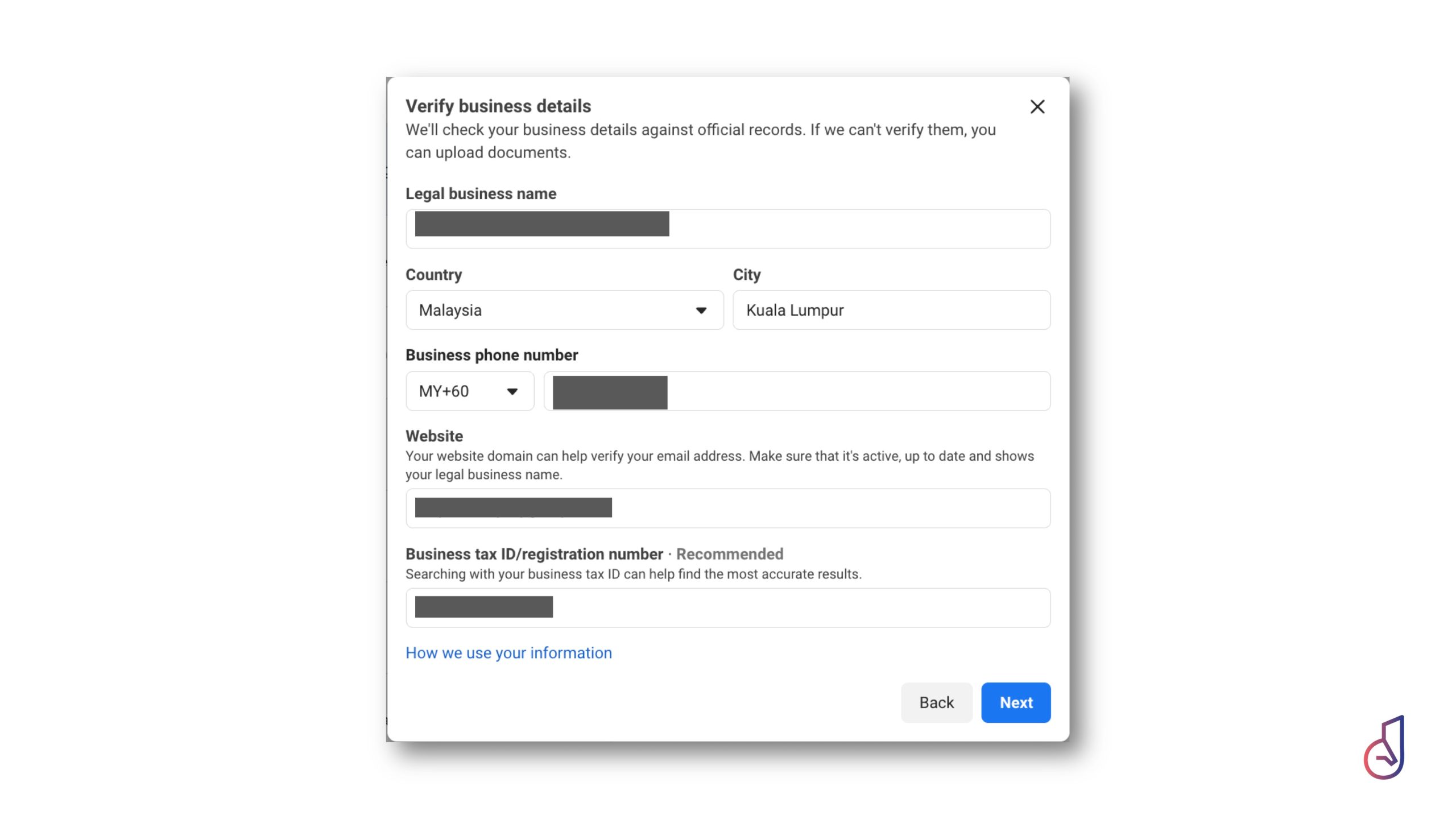
For any hotelier or short-stay operator, your digital presence is not just a marketing channel—it is one of your most valuable business assets, often rivaling the physical property itself in importance. Yet, a recurring and costly vulnerability in our industry is the loss of access to these assets, a “chaos” often triggered when a staff member leaves the company or an external agency relationship dissolves, leaving owners unable to retrieve their accounts.
To prevent this, Janus Digital has prepared this guide as the essential first step in protecting the most commonly used digital assets—Facebook, Instagram, WhatsAppand other Meta Products—by transitioning them to a secure, centralized Meta Business Portfolio (formerly Meta Business Suite).
Why a Meta Business Portfolio is Essential
Efficiency is the core of the Janus Methodology. Centralizing your assets is the first step toward “human-less operations“, where your marketing, customer service, and data tracking live under one roof:
- Centralized Control: Manage Facebook Pages, Instagram accounts, Ad accounts, Pixels/Conversion APIs, Catalogs, and WhatsApp Business accounts from a single interface.
- Precision Access Control: Remove the risks of sharing personal credentials by assigning specific roles to staff, agencies, or partners based on their function—such as Marketing, Customer Service, or Finance.
- Security & Auditability: Protect your business assets, ensure immediate access revocation when team members depart, and maintain a clear audit trail of all changes.
Your Step-by-Step Implementation Roadmap
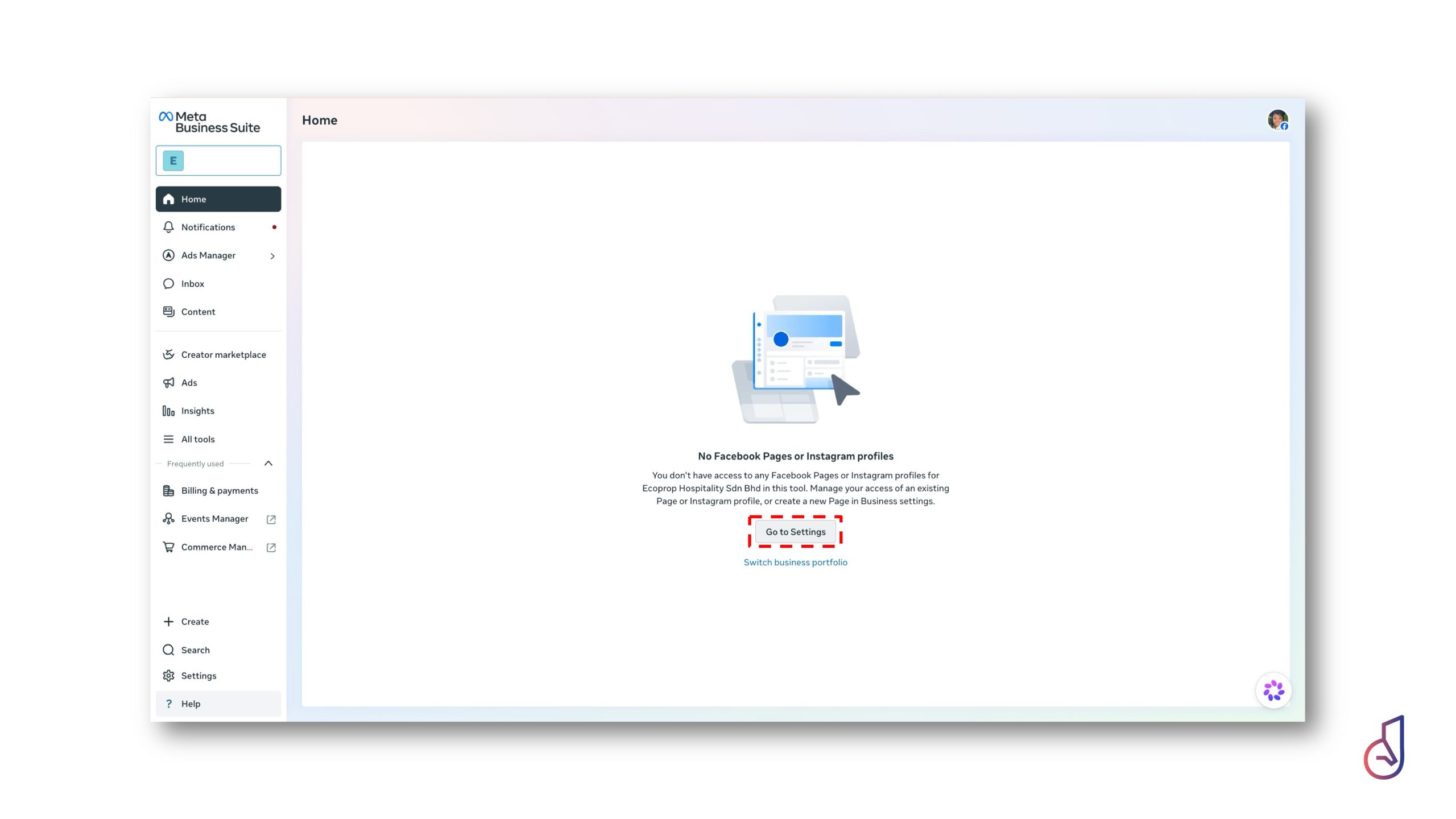
Navigate to Meta Business Suite and log in using your personal Facebook credentials.
- Note: Your personal profile remains private. This login serves strictly as your secure admin identity to bridge the gap between your personal account and your professional business portfolio.

Select Create Business Portfolio and input your business identity.
- Business Name: Use your exact, legal registered name, as this will be visible across Meta.
- Admin Details: Enter your full name and primary business email. While this contact information is saved within the portfolio, your email address is not visible to customers.
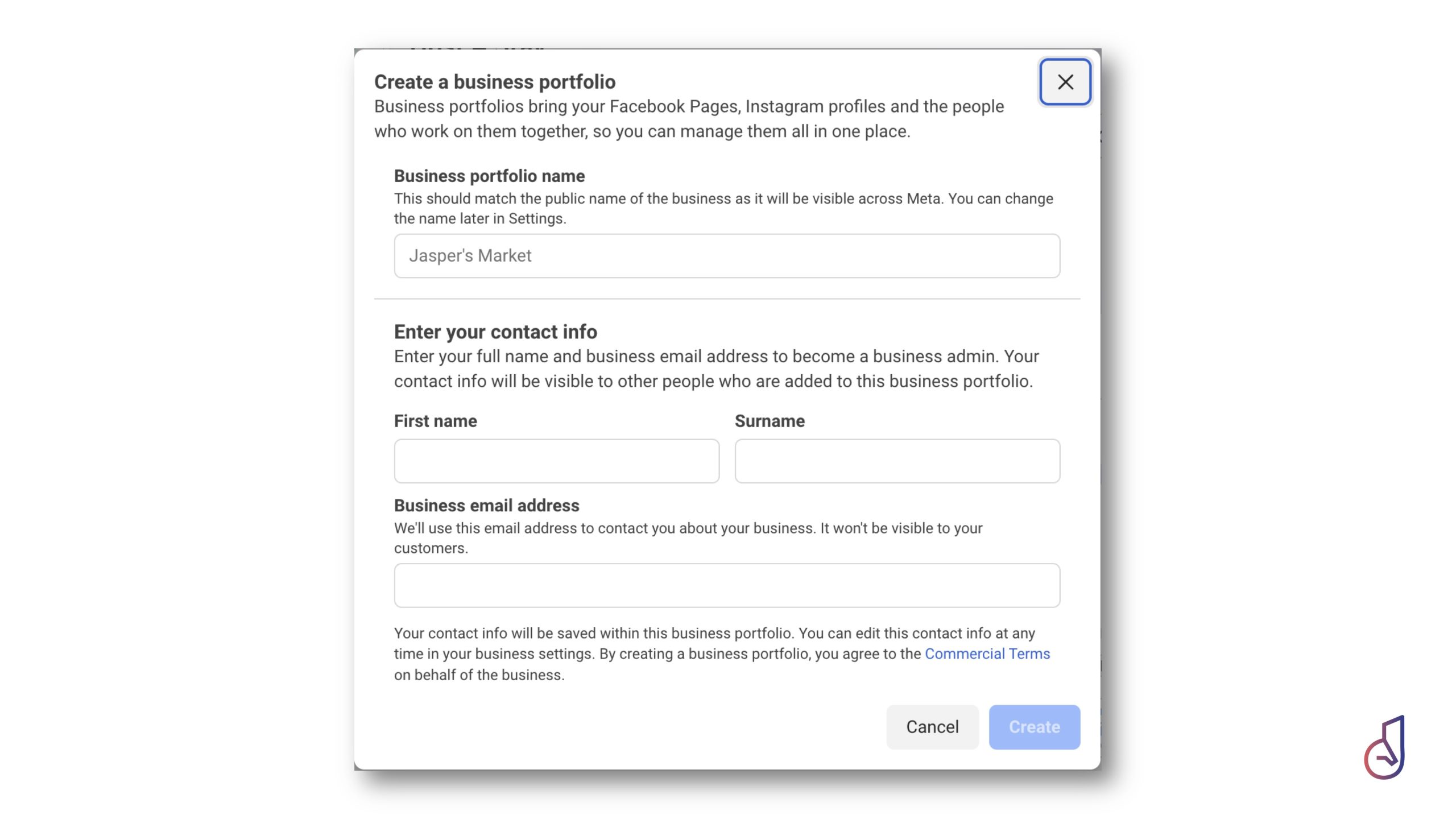
- Use the exact, legally registered name for your business portfolio. Ensure you have a valid business email address.
Connect your existing digital touchpoints. If you are currently mid-operation, you can skip this to complete it later, but connecting them early ensures your data streams (like your WhatsApp chatbot) are integrated into your reporting dashboard.
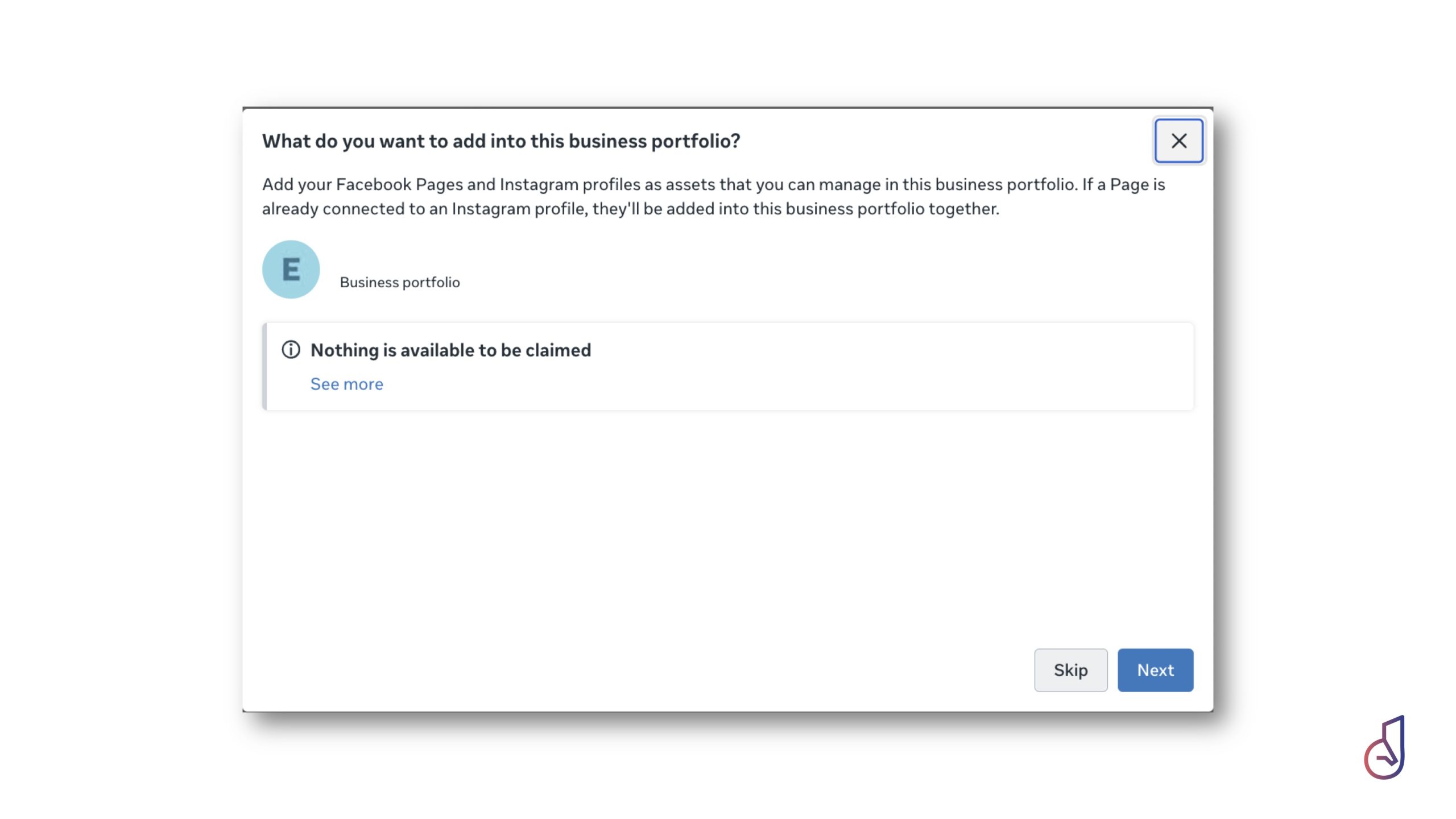
- You can skip this process but remember to return later to add all your Meta assets.
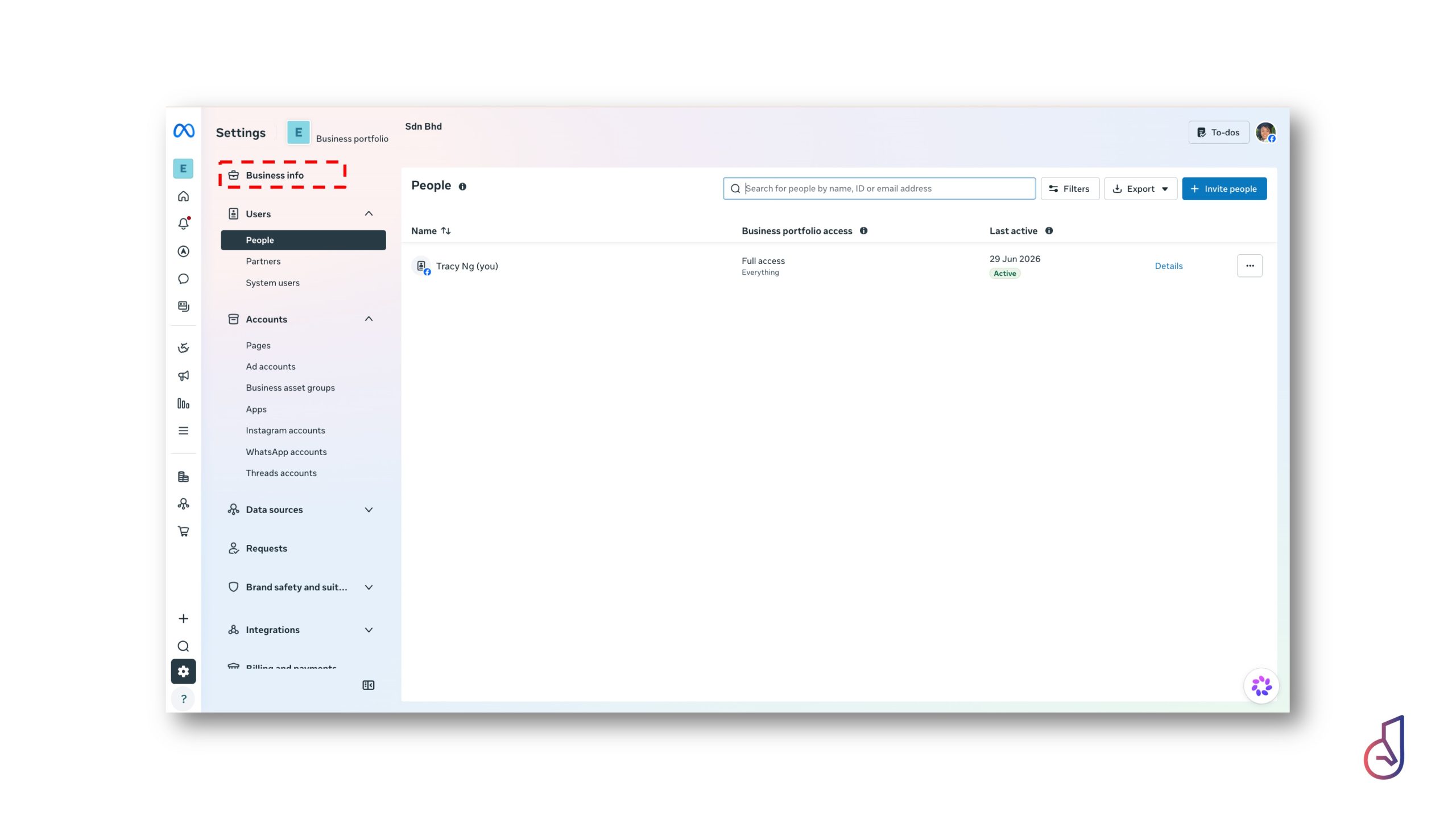
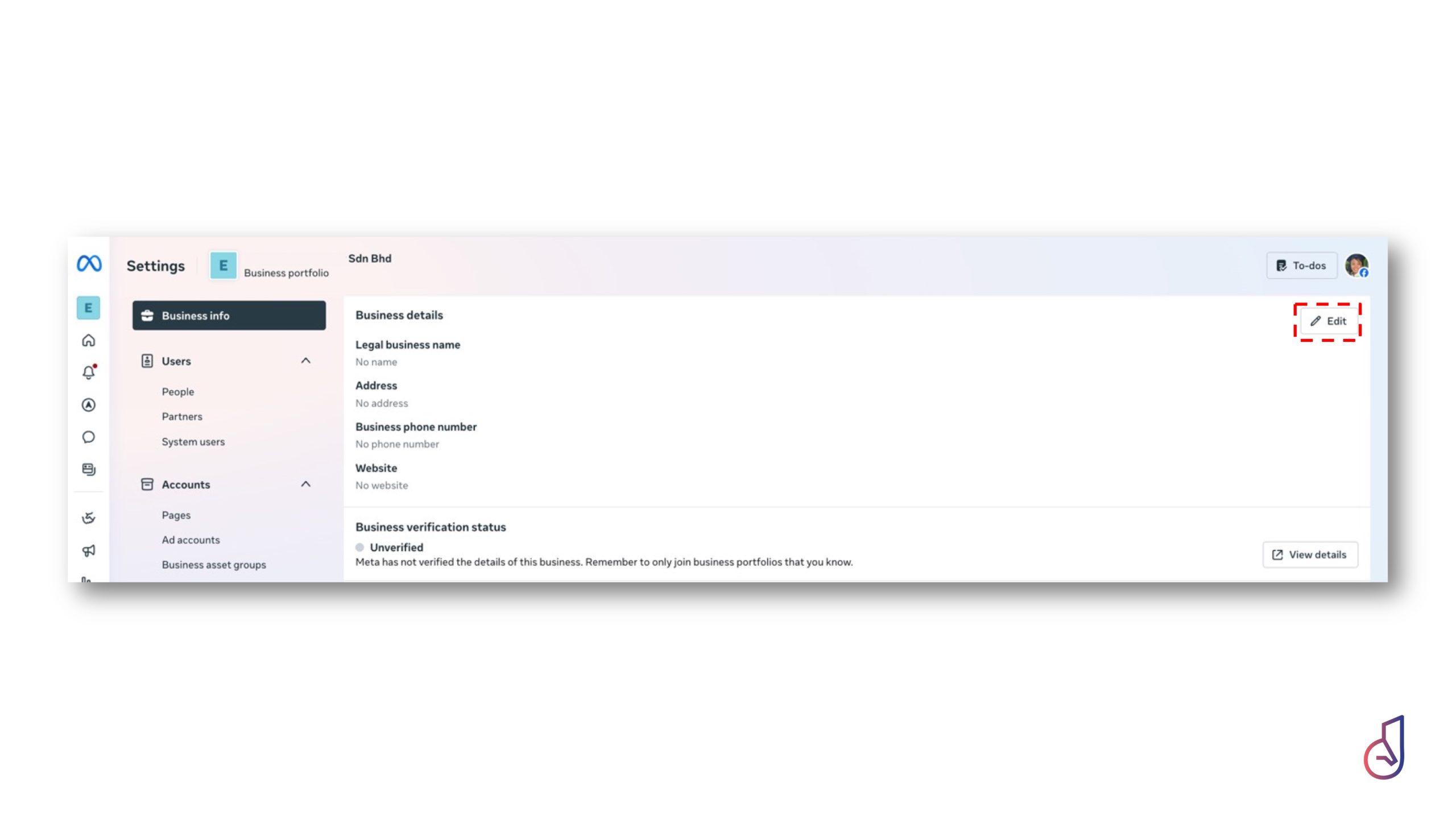
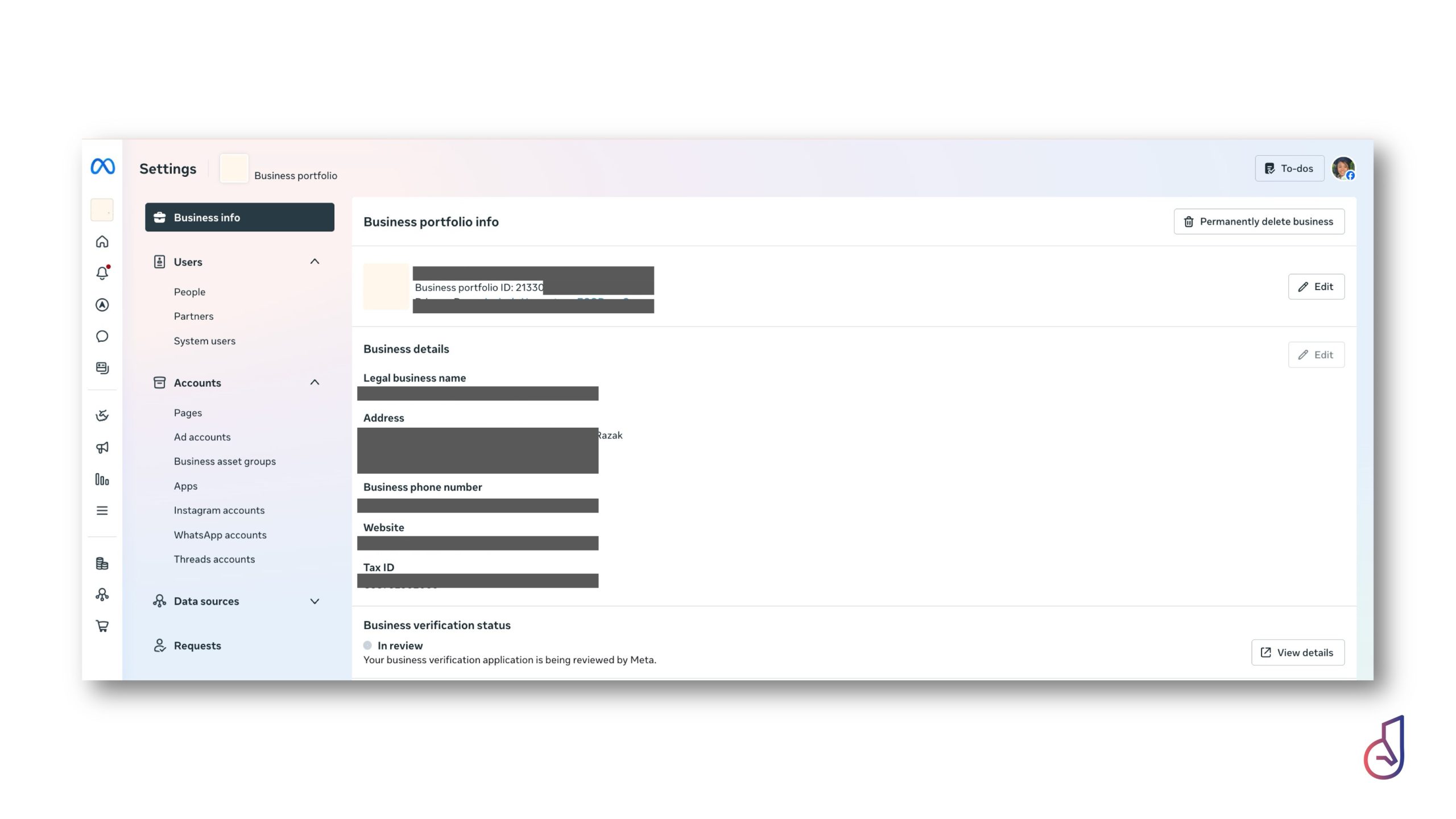
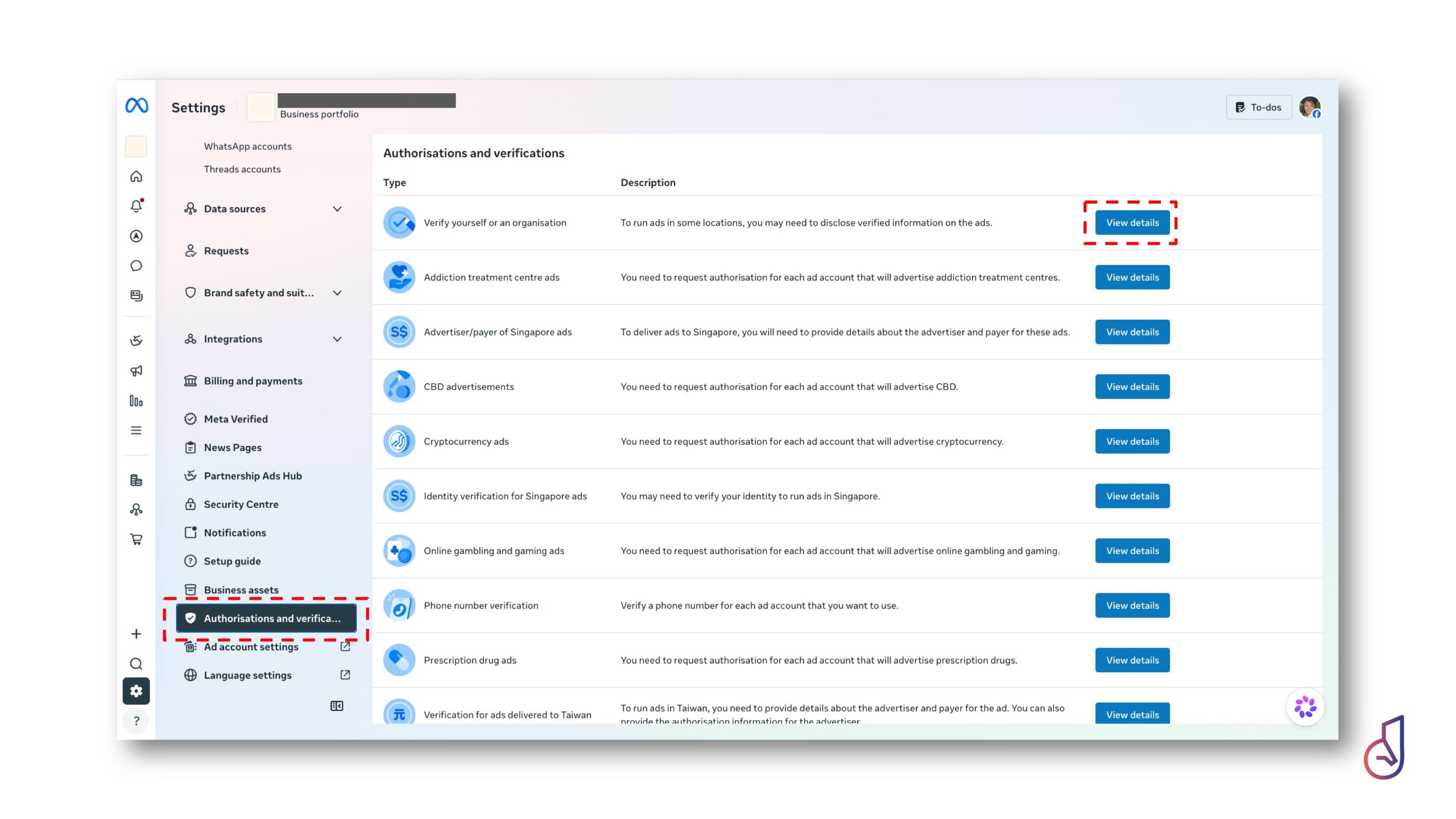
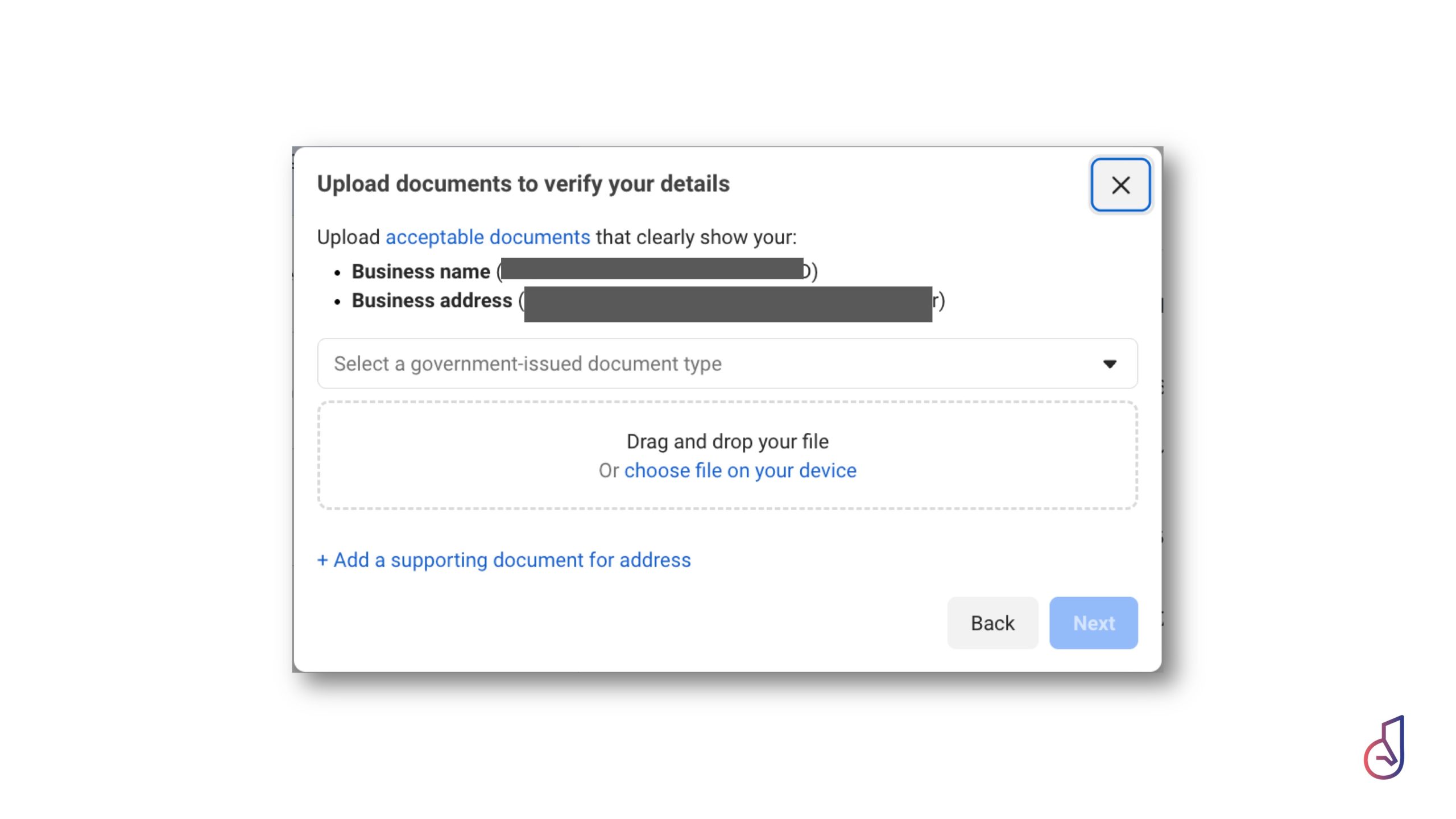
To ensure a smooth verification process—which is essential for maintaining professional status on Meta—have the following documentation ready. Meta verifies your business entity against your official website and government records:
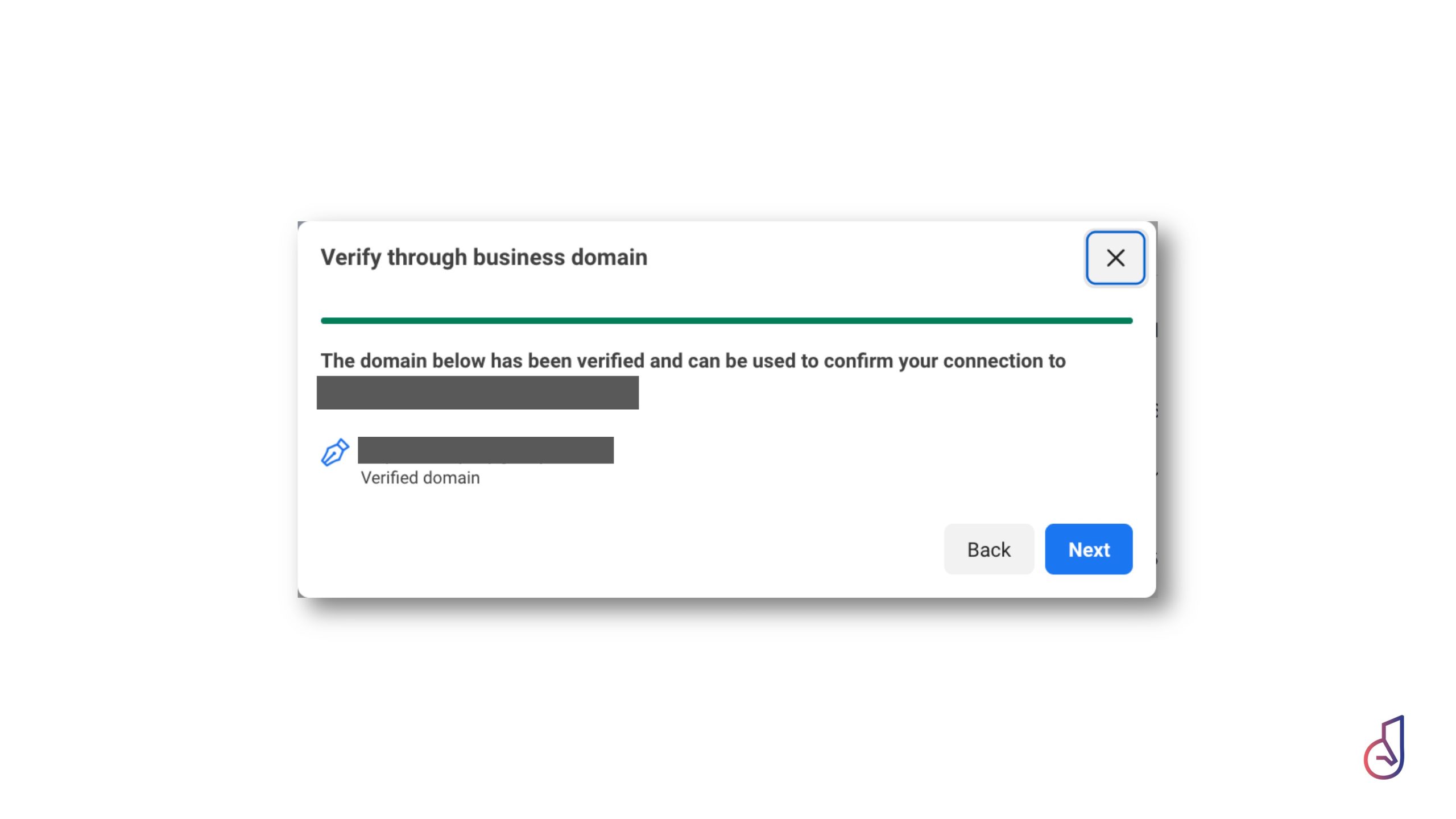
- Verified Domain: Ensure your website domain is active and matches your registered business name.
- SSM (Business Registration) (Section 17): The primary document to validate your Business Name.
- Supporting Proof of Address (One of the following):
- Company Superform (Section 14): Confirms your registered business address.
- Utility Bills: Electricity, water, or phone bills that clearly reflect both your registered company name and your business address.
- Click on the image to enlarge it.
Janus Pro-Tip: Mastering Meta Business Portfolio Verification
Navigating the verification process for your Meta Business Portfolio is a critical step in securing your digital infrastructure and ensuring long-term asset control. To streamline this transition and minimize friction, follow these professional guidelines:
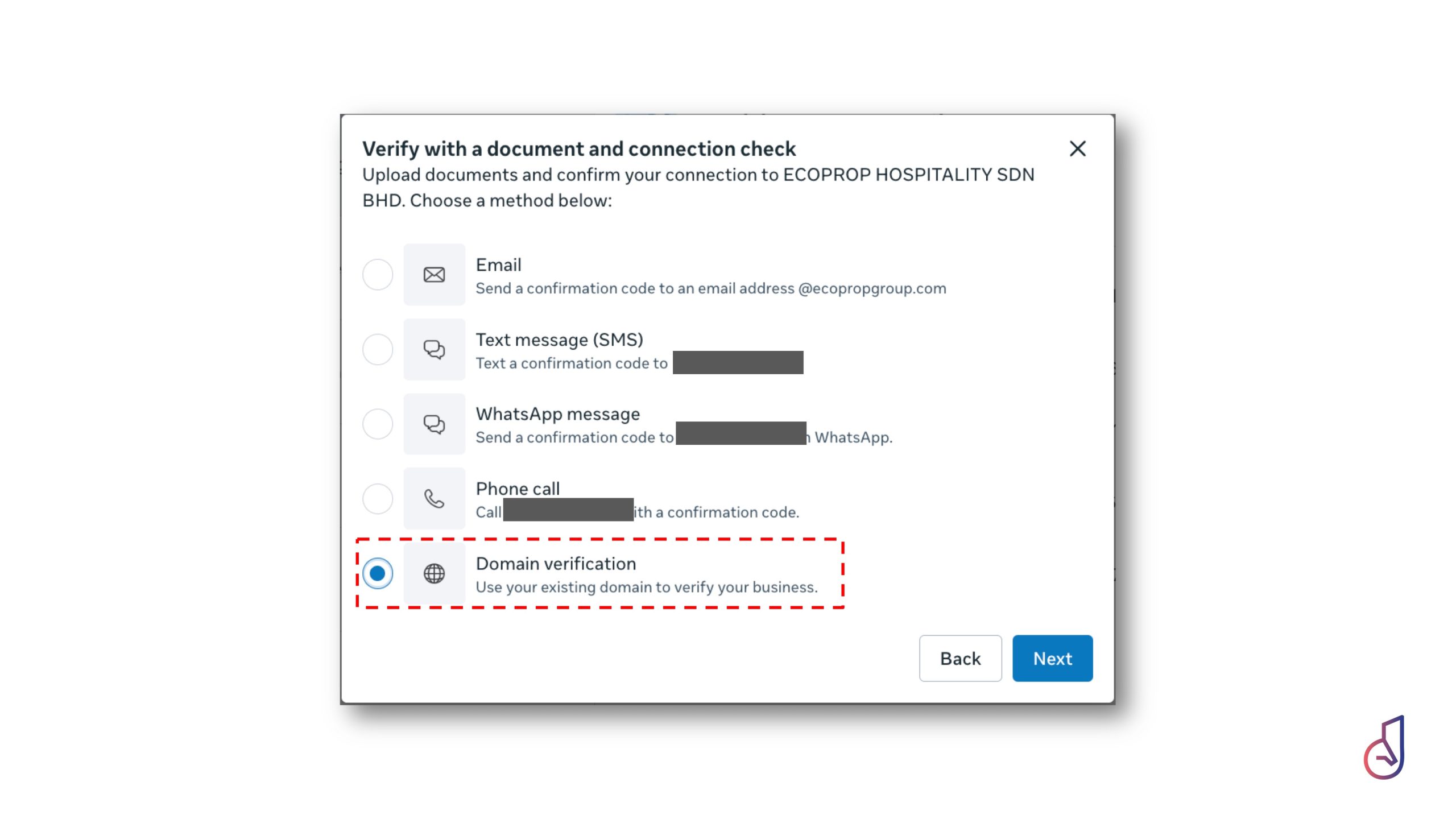
- Prioritize Domain Verification: During the verification process, Meta may offer multiple connection checks, such as email confirmation, phone calls, or domain verification. Using your verified domain is often the most efficient path to confirming your connection to your business entity.
- Align with Legal Documentation: Ensure your business registration name matches your official government-issued business registration documents exactly.
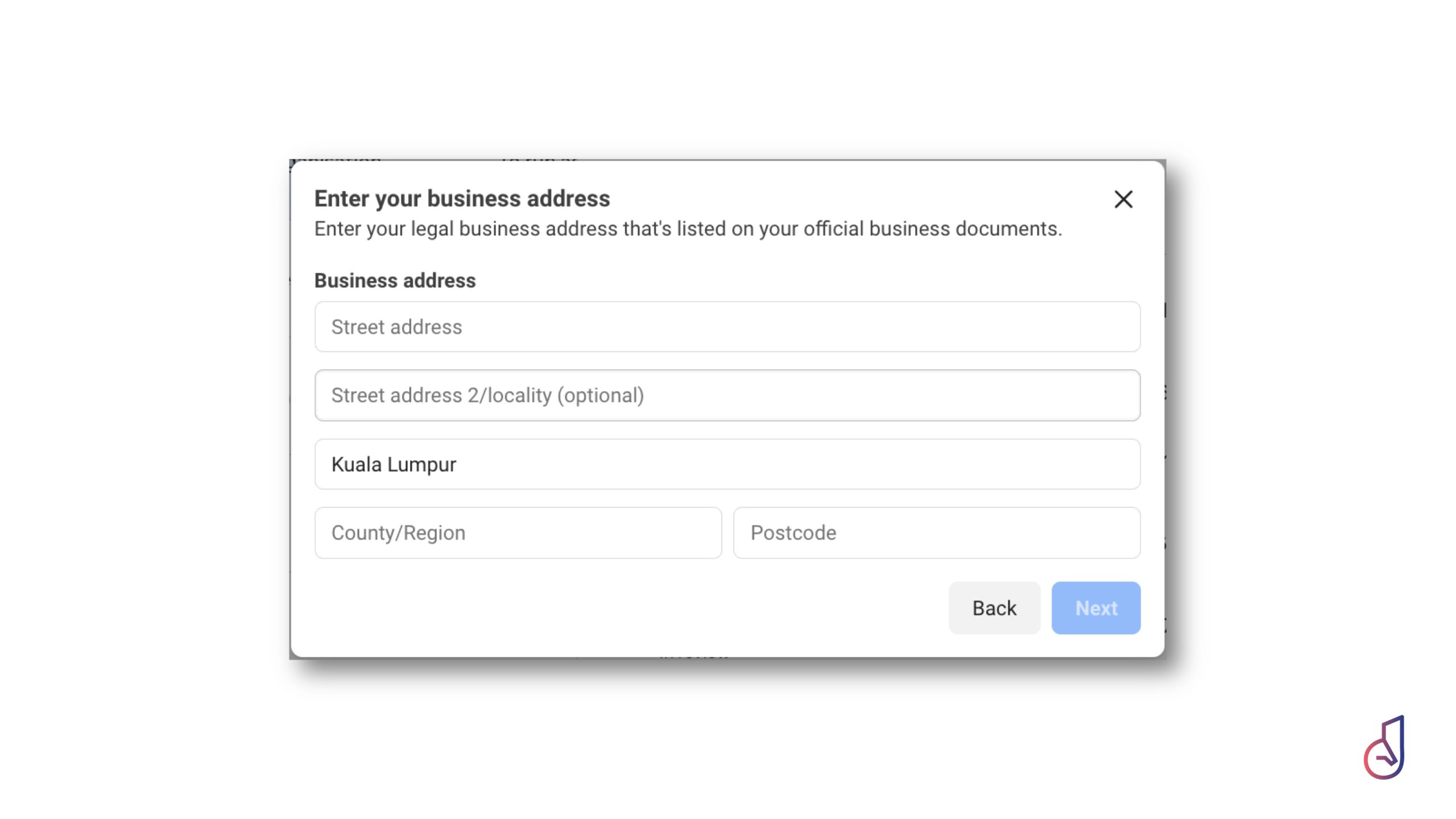
- Synchronize Physical Presence: Your business address must be stated exactly as it appears on the official documents you submit to Meta for verification.
- Maintain Digital Accuracy: Ensure your company website is fully updated, active, and contains consistent contact information before beginning the submission process.
By ensuring these details are consistent, you avoid the “operational chaos” of rejected verifications and maintain a “Single Source of Truth” for your digital brand identity. This level of administrative diligence is a hallmark of the Internal Cleanup phase within the PAXISS Framework, ensuring your foundation is robust enough for advanced AI automation and secure guest engagement.
Continue reading:
- Connect your WhatsApp Account to Janus: https://web.janustech.co/how-to-connect-your-chatbot-with-whatsapp-waba/
- Why go with Meta Verified Account: https://web.janustech.co/beyond-chat-why-hospitality-needs-more-than-whatsapp/